FleetworthyGO (Drivewyze)
- 2.7
- Rating
- 500.00K
- Installs
- Free
- Price

 Analysis by App-foxy
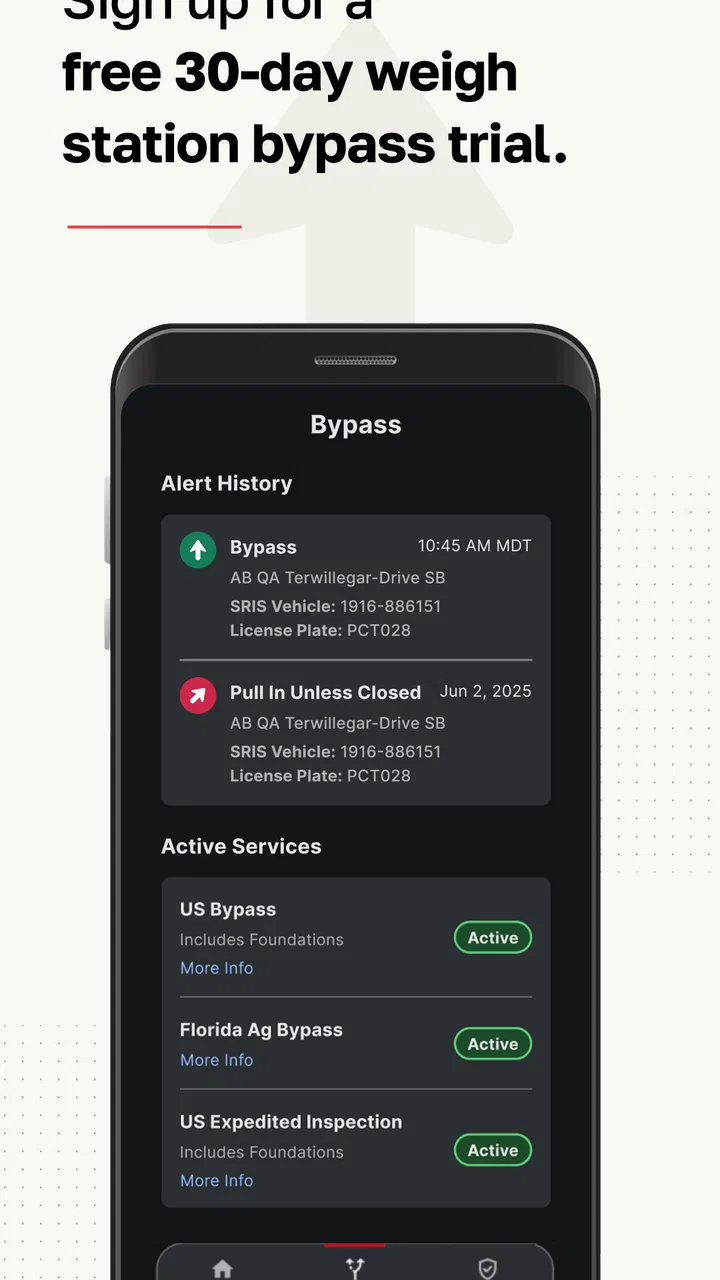
For a professional driver, a navigation app has to do more than draw a line between two places. It needs to fit into a working day filled with weigh stations, changing road conditions, safety concerns, and limited attention. That is where FleetworthyGO aims to be useful. It is a free Maps & Navigation app from Drivewyze Inc. built around weigh-station bypass information, safety alerts, and fleet-oriented travel support.
I see it as a specialist companion rather than a replacement for a full navigation system. It does not make a truck driver’s route-planning routine disappear, and it is not the best choice if all you want is turn-by-turn directions. Its value is more focused: it can help drivers make better-informed decisions during a route, especially when stopping at a weigh station would add time or interrupt an already tight schedule.
The app has been available since February 6, 2015, and its current version is 6.0.2. It is rated for Everyone and works on devices running Android 8.0 or later. With more than 500,000 installs, it has clearly found an audience, although its average rating of 2.7 from roughly 2,000 ratings suggests that the experience is not equally smooth for everyone. That mixed response is important context before deciding whether it belongs in your daily driving setup.
You May Also Like

 Blood Strike: 2.5 Anniversary
Blood Strike’s Loadouts Turn Every Drop Into a Tactical Gamble
A close look at Blood Strike’s custom loadouts: how fast access to signature weapons reshapes its battle royale rhythm, rewards preparation, and narrows the gap between fights.

 Pandora - Music & Podcasts
Pandora’s Music Is Easy to Start, but Harder to Recover
Pandora’s strength is its low-effort path from a seed to a station. Its weak spot is how much confidence it asks you to place in connection, setup, and quiet recovery.

 8 Ball Pool
 Is Built on Rivalries, Rematches, and Routine
A close look at the rivalries, rematches, shared routines, and unanswered safety questions that turn a quick pool match into a persistent mobile community.

 Samsung Music
’s Quiet Strength Is Playing What You Already Own
Its reach comes less from spectacle than from dependable access to a personal library. That simplicity is both the app’s strongest retention engine and its ceiling.

 AccuWeather: Weather Radar
AccuWeather Review: A Quick, Clear Forecast for Everyday Decisions
For everyday plans, the best forecast is the one you can understand quickly. AccuWeather makes rain timing, radar, and local conditions easy to act on, with a few trade-offs.

 Hill Climb Racing
Why Hill Climb Racing Still Turns Crashes Into One More Run
A tiny car, a bumpy hill and one more upgrade: Hill Climb Racing keeps resurfacing because its simple chaos makes every near-miss feel personal.
More From Our News Desk



How FleetworthyGO fits into a normal driving day
My recommended starting point is simple: treat FleetworthyGO as a second layer over your existing driving routine. Before leaving, I would confirm that the phone is ready, open the app, review the available information for the route, and then keep the app available while driving. The goal is not to repeatedly interact with the screen. The goal is to make a few useful decisions before the road becomes busy.
A realistic example would be a long-haul driver approaching a familiar corridor with several weigh stations. A conventional navigation app may handle the route itself very well, but it usually does not serve as the driver’s dedicated weigh-station and commercial safety companion. FleetworthyGO can fill that narrower role by helping the driver stay aware of relevant bypass opportunities and alerts while the primary navigation tool continues handling directions.
That division of labor is one of the most practical ways to use it. I would not replace a trusted truck-routing solution with this app, particularly when vehicle height, weight, hazardous materials, restricted roads, or delivery access matter. Instead, I would use the navigation app for route geometry and FleetworthyGO for specialized awareness. This reduces the temptation to force one app to do a job it was not designed to do.
The first useful habit is to check the app before moving, not while trying to merge or approach a station. If the information changes during the trip, the driver can respond when it is safe to do so. That sounds obvious, but it is especially important with a tool connected to roadside decisions. A bypass-related alert is helpful only if it improves awareness rather than becoming another source of distraction.
Fleet operators may also find value in making the app part of a consistent pre-trip checklist. The driver can verify that the phone is charged, the app opens correctly, and the relevant route information is visible before departure. That routine is more dependable than assuming the app will be ready at the exact moment a decision is needed.
What the app is genuinely good at
The strongest use case is clear: commercial drivers who regularly encounter weigh stations and want a dedicated way to stay informed about bypass opportunities and safety-related notices. For that audience, the app’s narrower focus is an advantage. It avoids burying the most relevant information inside a general-purpose map filled with restaurants, traffic layers, and unrelated points of interest.
It can also be useful for drivers who move between multiple regions and do not want to rely entirely on memory. Even experienced drivers know that a route can feel familiar while conditions, alerts, or operational details change. A specialist tool provides a repeatable checkpoint before and during the trip.
Fleet managers and owner-operators should think about consistency rather than novelty. The app is not valuable because it adds another icon to a phone. It is valuable if it becomes part of a repeatable process: check the route, review alerts, keep the primary navigation system active, and avoid making last-second decisions from incomplete information.
On the other hand, a private driver taking occasional road trips is unlikely to get the same benefit. If weigh stations are not part of your normal travel, the app may feel overly specialized. A standard navigation app with traffic, road closures, and destination search will probably be more useful for everyday car travel.
Settings and preparation that deserve attention
Experienced users should begin with the phone’s own settings as much as the app’s controls. Battery optimization, notification behavior, sound volume, background restrictions, and screen-lock behavior can all affect whether a travel companion is useful at the right moment. I would review these before the first serious trip, particularly on a work phone with aggressive power-saving rules.
Notifications deserve a practical test. An alert that arrives silently, too late, or alongside a flood of unrelated messages is not doing its job. I would check how FleetworthyGO behaves during a short stationary test, then adjust the phone so important notices are noticeable without creating unnecessary distraction. The right balance depends on the driver, cab environment, and other equipment, so copying someone else’s setup is less useful than testing your own.
It is also worth checking whether the app remains comfortable to use alongside the main navigation display. If the driver has a mounted phone, a separate navigation unit, or an in-cab system, the arrangement should be decided before departure. Switching between screens at speed is a poor workflow. The best setup is the one that keeps each tool in a predictable place and minimizes manual interaction.
Because the app is free to download but includes in-app purchases ranging from $8.99 to $179.99 per item, I would review the purchase screen carefully before committing to any paid option. The free entry point makes it easy to try, but professional users should judge the cost against actual working value rather than assuming every available feature is necessary. A solo driver with occasional commercial routes has a different calculation from a fleet that wants a standardized process.
The app’s Everyone content rating makes it broadly accessible from an age-classification perspective, but that should not be confused with suitability for every driver. Its usefulness depends on commercial travel patterns, device readiness, and whether the driver already has a reliable navigation workflow.
Faster patterns for repeat routes
Once the basic routine works, the next improvement is reducing repeated decisions. I would create a pre-departure sequence that takes place in the same order every time: inspect the route in the main navigation app, open FleetworthyGO, review the relevant information, confirm notification behavior, and place the phone where it can be checked safely. The exact sequence matters less than making it consistent.
For repeat lanes, the driver can also develop a mental map of where the app is most useful. Some stretches may contain several decision points, while others may offer little benefit from frequent checking. That does not mean ignoring alerts; it means avoiding unnecessary screen interaction in places where the information is unlikely to change the immediate plan.
A useful trade-off is to separate “information gathering” from “decision making.” Before departure, gather as much context as possible. On the road, act only on clear, relevant information and do so when the vehicle is safely stopped or when the driving environment allows it. This approach makes the app feel less like a constantly demanding dashboard and more like a prepared reference tool.
Drivers working with dispatch can make the workflow clearer by agreeing on what the app is responsible for and what remains a dispatch or navigation decision. FleetworthyGO can support awareness around weigh stations and safety alerts, but it should not replace company procedures, legal requirements, or the driver’s judgment. A bypass indication is not a reason to disregard signage, instructions, or current road conditions.
Another advanced but realistic habit is to compare the app’s information with what is physically happening on the road. If a notice seems inconsistent with signage, lane control, or an official instruction, the real-world instruction takes priority. This is not a criticism unique to FleetworthyGO; it is a basic rule for every connected driving tool. Software can support decisions, but it cannot see every temporary change or unusual situation.
Where the experience can become frustrating
The rating tells me that potential users should approach the app with practical expectations rather than assuming a flawless experience. A specialist app can be extremely helpful when its information arrives at the right time, but frustration appears quickly when alerts are unclear, the interface feels awkward, or the app does not fit smoothly into an existing cab setup.
There is also a natural limitation in using a dedicated tool beside a general navigation app: two systems can compete for attention. If both produce sounds or notifications, the driver may not immediately know which one matters. I would keep the roles distinct and reduce nonessential interruptions. The objective is not to receive more alerts; it is to receive the alerts that can change a safe, lawful travel decision.
Another limitation is scope. FleetworthyGO is not a complete substitute for truck-specific routing, dispatch software, a logbook system, or official roadside instructions. Drivers who need detailed vehicle restrictions, delivery-site access, fuel planning, or comprehensive traffic routing should keep using tools that specialize in those tasks. This app makes more sense as part of a toolkit than as a single control center.
The paid structure may also require careful judgment. The app is free, but optional purchases can become expensive when considered for multiple drivers or repeated professional use. Before paying, I would identify the exact problem the purchase is meant to solve and test whether the free experience already covers the daily need. A fleet should evaluate the total workflow, not just the individual app price.
Device compatibility is another practical checkpoint. The minimum requirement of Android 8.0 or later covers many phones, but older hardware can still struggle with battery life, storage, notification timing, or multitasking. A driver should test the app on the actual work device, not merely assume that meeting the operating-system requirement guarantees a comfortable experience.
Who should use it, and who should choose something else
I would recommend trying FleetworthyGO if you are a commercial driver who frequently encounters weigh stations, wants safety alerts in a dedicated app, and is willing to build it into a pre-trip routine. It is especially promising for people who prefer a focused companion rather than another all-purpose map.
I would be more cautious if you drive only occasionally, already have a dependable commercial navigation and alert system, or dislike managing multiple apps while traveling. In those cases, the extra layer may create more friction than value. A single integrated solution may be easier, even if it offers less specialization.
It is also not the right choice for anyone expecting the app to make bypass decisions automatically or to override official instructions. The responsible workflow remains human-led. The app can provide useful context, but the driver still has to follow signs, regulations, company policy, and safe-driving practices.
My final assessment after building a routine around it
FleetworthyGO is most convincing when used with discipline. I would open it before departure, combine it with a trusted navigation system, configure notifications deliberately, and avoid touching it unnecessarily while moving. That workflow makes its specialist purpose clear and prevents it from becoming a distracting duplicate of a normal map.
Its free starting point is appealing, and Drivewyze Inc. has kept the product focused on a real commercial-driving problem rather than trying to turn it into an everything-app. At the same time, the mixed average rating, possible setup friction, and optional purchases mean I would test it on a real route before recommending it across an entire fleet.
The best reason to use FleetworthyGO is not that it replaces every other driving tool; it is that it can add focused weigh-station and safety awareness to a routine you already trust. If that is the gap in your current setup, it is worth exploring. If your needs are ordinary car navigation or fully integrated truck routing, another option will probably serve you better.
My verdict is therefore practical rather than enthusiastic: this is a specialized app for a specialized audience. Used as a prepared companion, it can help a professional driver stay more aware and keep a route moving with fewer avoidable interruptions. Used as a standalone answer to every navigation problem, it will disappoint. The difference comes down to whether its focused workflow matches the way you actually drive.
FAQs for FleetworthyGO (Drivewyze)
01What is FleetworthyGO (Drivewyze), and who is it designed for?
FleetworthyGO, associated with Drivewyze, is a mobile solution intended for commercial motor carriers, fleet operators, and professional drivers. It can support fleet safety, compliance, and roadside operations, depending on the services enabled by the carrier. Before downloading, users should confirm that their company uses Fleetworthy or Drivewyze and that their account has been activated, since many features may not work without an organization-provided login or subscription.
02What features can drivers expect from FleetworthyGO?
The available features depend on the carrier’s configuration and the Drivewyze services connected to the account. In general, the app may provide access to driver and fleet information, safety or compliance workflows, roadside-related services, notifications, and operational tools. The exact experience can vary by vehicle, jurisdiction, company policy, and subscription level, so users should not assume every advertised feature will appear after installation.
03Does FleetworthyGO work without an internet connection or with limited mobile coverage?
FleetworthyGO is primarily designed to communicate with online fleet and roadside systems, so an active mobile data connection is normally important. Some information may remain available temporarily if it has already been synchronized, but real-time alerts, status updates, authentication, and service communication can be affected by weak coverage. Drivers should avoid relying on the app as their only source of instructions and follow company procedures when connectivity is unavailable.
04What permissions and device requirements does FleetworthyGO need?
The app may request permissions such as notifications, location, mobile data, and access to device functions required for fleet or roadside services. These permissions should be reviewed carefully and enabled only when they are necessary for the features your company provides. Compatibility can also depend on the Android or iOS version, device settings, and managed-fleet policies. Keeping the app and operating system updated generally helps prevent login and performance problems.
05Is FleetworthyGO free to download, and can individual drivers use it without a fleet account?
The application may be available to download without an upfront charge, but access to its professional services is commonly controlled by a carrier, Fleetworthy account, or Drivewyze subscription. Downloading the app alone does not necessarily provide access to all tools or roadside benefits. Individual drivers should check with their employer or fleet administrator before installing it to confirm eligibility, required credentials, supported services, and any costs connected with their account.
Pros
- Helps drivers stay aware of weigh station bypass eligibility.
- Can reduce unnecessary stops on participating routes.
- Uses location data to provide timely roadside alerts.
- Supports compliance-focused fleet operations.
- Available for professional drivers through a fleet account.
Cons
- Requires participating carriers and sites to provide full value.
- Location services may increase battery consumption during long trips.
- Alerts depend on reliable GPS and mobile data coverage.
- Not a replacement for required permits or official instructions.
- Some features may be unavailable outside supported regions.

FleetworthyGO (Drivewyze)
Gallery